I can not find the content created in Theme Editor to translate in your app
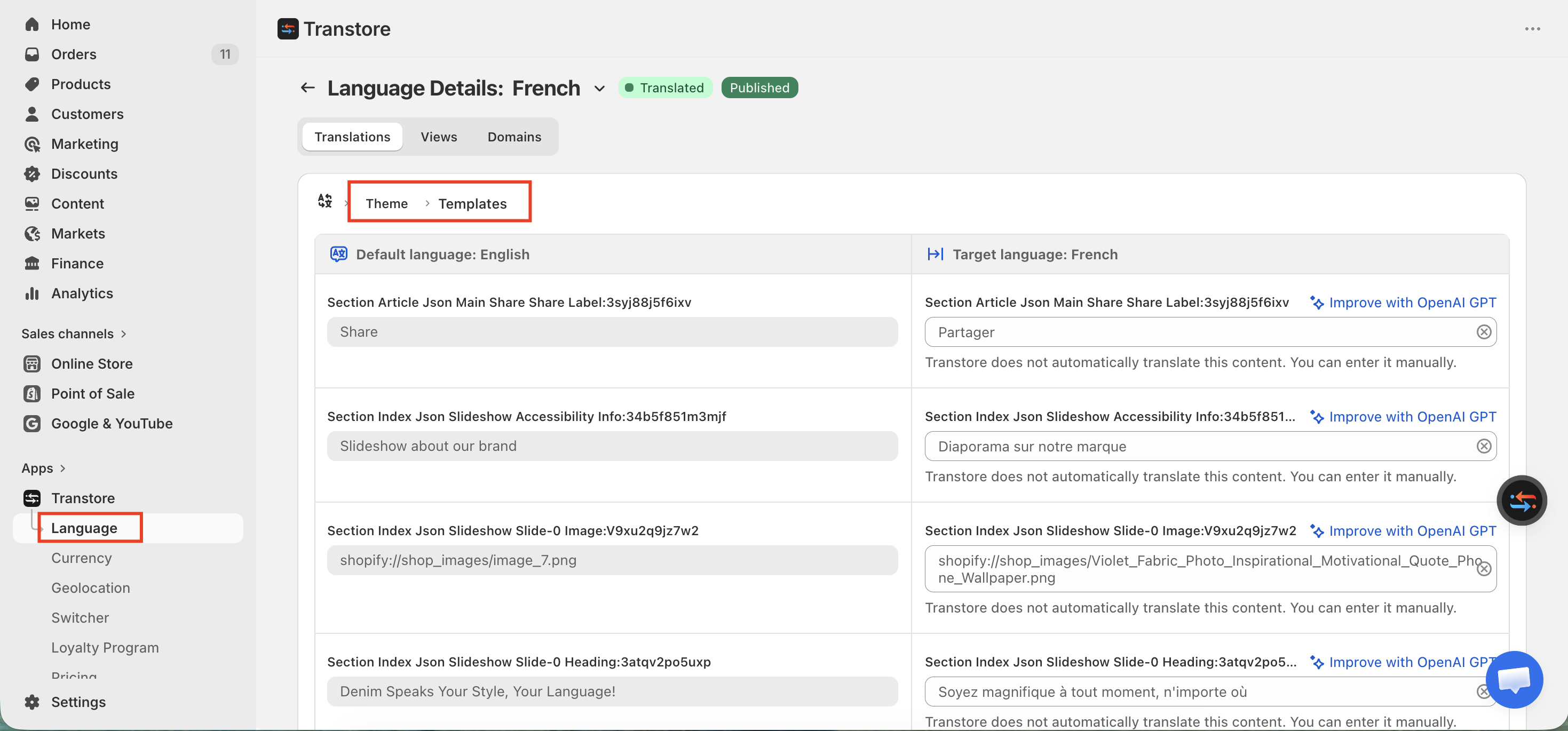
If you want to edit texts built with Rich Text in your theme, you need to do it inside our app under: Translations → Theme → Templates
Important Clarification
In some cases, there might be a misunderstanding:
You cannot find and edit content directly in the Pages, Products, or Collections sections of our app.
Instead, please check the Theme section to determine what type of content it actually is. Sometimes, it might be Rich Text.
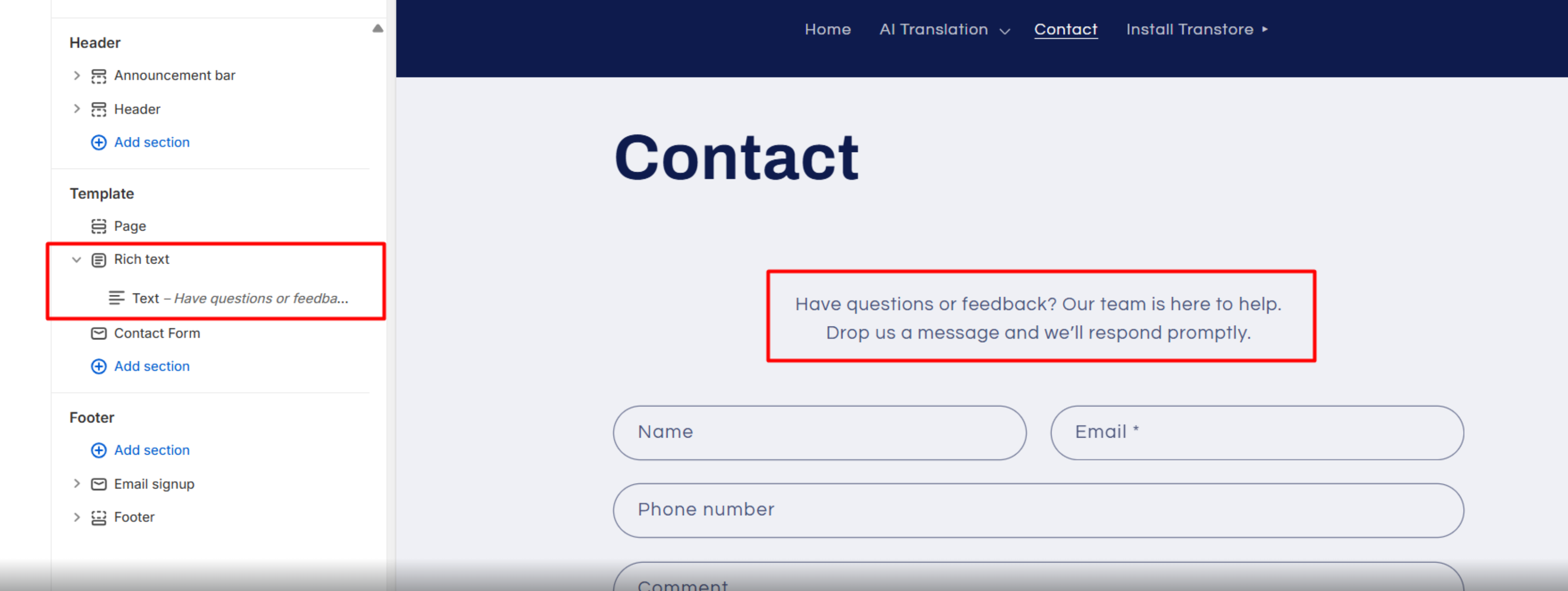
In that case, edits should be made under: Translations → Theme → Templates
If you still cannot find or edit the content, please send us at [email protected] the exact text and grant store access. We’ll be happy to assist you.